

Use this guide when you have lost admin access and cannot use the password reset feature. These steps use phpMyAdmin, but any database tool will work — the steps will simply differ slightly.
Log into phpMyAdmin
Log in to phpMyAdmin. Not sure how? Contact your hosting provider.
Select Your Database
Choose the database you installed FOSSBilling on. If you're not sure which one, check your
config.phpfile.Find the Admin Table
- Click the Structure tab to see all tables
- Find and click on the admin table
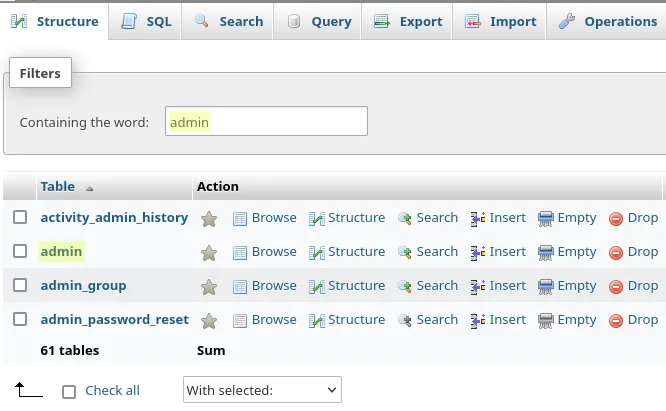
- Click the Browse tab to see all admin accounts
- Find your account and click Edit

Generate New Password Hash
The
passfield needs a bcrypt hash. Generate one locally:Terminal window php -r 'echo password_hash("temporary-password-here", PASSWORD_BCRYPT), PHP_EOL;'- Replace
temporary-password-herewith a temporary password - Copy the generated hash
- Paste the hash into the pass field
- Click Go to save
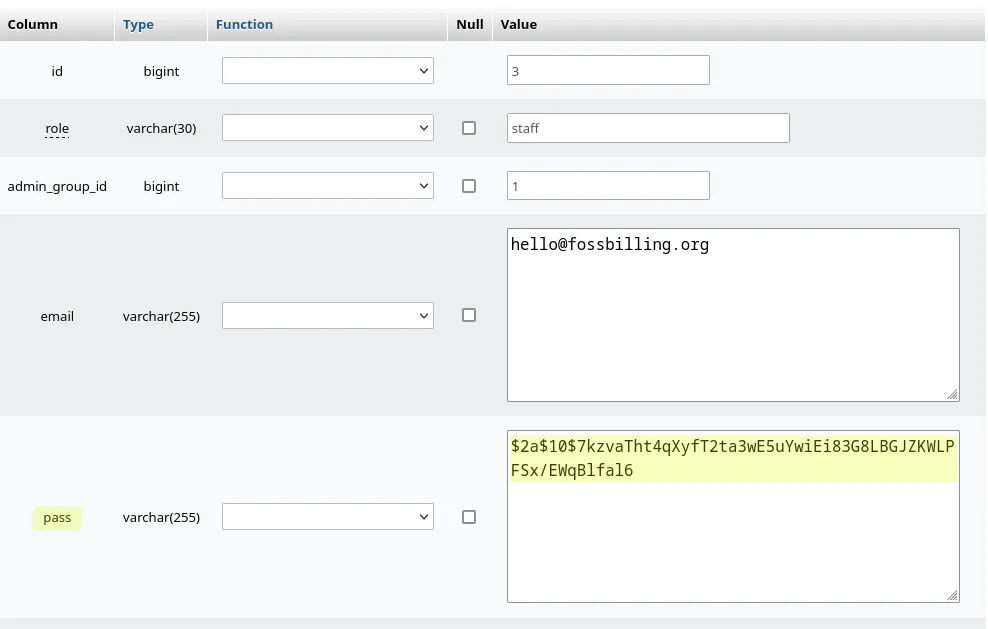
- Replace
Log In and Change Your Password
You can now log in with your temporary password. Important: Change it immediately to a secure password:
- Click your name in the top right corner
- Go to Profile
- Switch to the Change Password tab
- Set a strong, unique password
Password reset complete. Store your password securely — ideally in a password manager.